Designing the Lucky Gorilla Brochure
Quick Summary: The story of winning my first design contest by creating a brochure for Lucky Gorilla IT services. After six rejected attempts and valuable feedback, I persevered by reorganizing content, testing different orientations and icons, and ultimately delivering a design that felt warm and inviting rather than cold and corporate.I’ve been completing the “Learn Photoshop, Web Design & Profitable Freelancing” online course at Udemy. The classes walk you through creating designs in Photoshop and earning money in design contests.
After completing the course, I searched for contests on hatchwise where I found a brochure design contest with very few entries from other designers and a good winning prize.
The Design Brief
Lucky Gorilla provides IT services for homes and small businesses. The contest holder wanted an 8.5x11″ flyer that could be posted in local shops and sent in mailings.
The only directives were to use the company logo colors – black & blue – and to include the following text on the brochure:
Business Managed IT Services
- On-call residential or small business IT support
- Unlimited end-user support 24/7/365
- Installation and Support of Cloud and/or on-premise servers
- [10 more points… – removed for brevity]
With The IT Company as your partner in IT, you will:
- Enjoy greater productivity – less downtime means more work time
- Concentrate on your core business – while we take care of your technology 24×7
- Maximize your return on IT investment – strategic technology can open up new doors
- [3 more points… – removed for brevity]
How I tackled it
The text was too long and unorganized; people who were handed this brochure wouldn’t bother reading this wall of text so I restructured the content under separate categories – each with a unique icon.
Tri-Fold Brochure
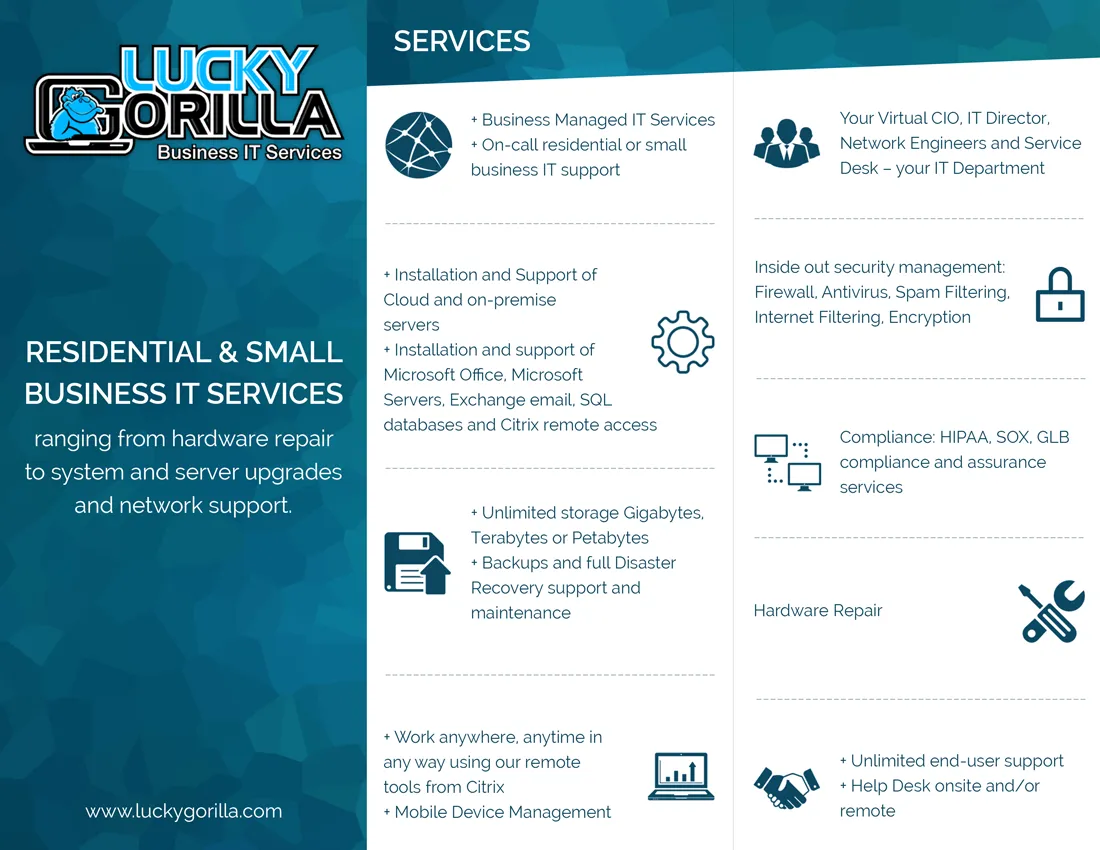
My initial design was a tri-fold brochure which the contest holder eliminated; however, he gave feedback asking me to align the paragraphs.
Left-Aligned Paragraphs

This time, I went with left-aligned paragraphs and I added a background image. Although he liked the style of my brochure, he rated this design 2-stars and said he did not want a landscape orientation.
Afterwards, he published a new design brief in which he reorganized his content in a similar way to what I had been doing. This was my cue to keep pushing; we both agreed on the layout. At the same time, I felt I had lost my uniqueness over the competition.
Portrait Orientation

In this entry, I kept the same style but switched to a portrait orientation – this one was eliminated without feedback.
New Icons
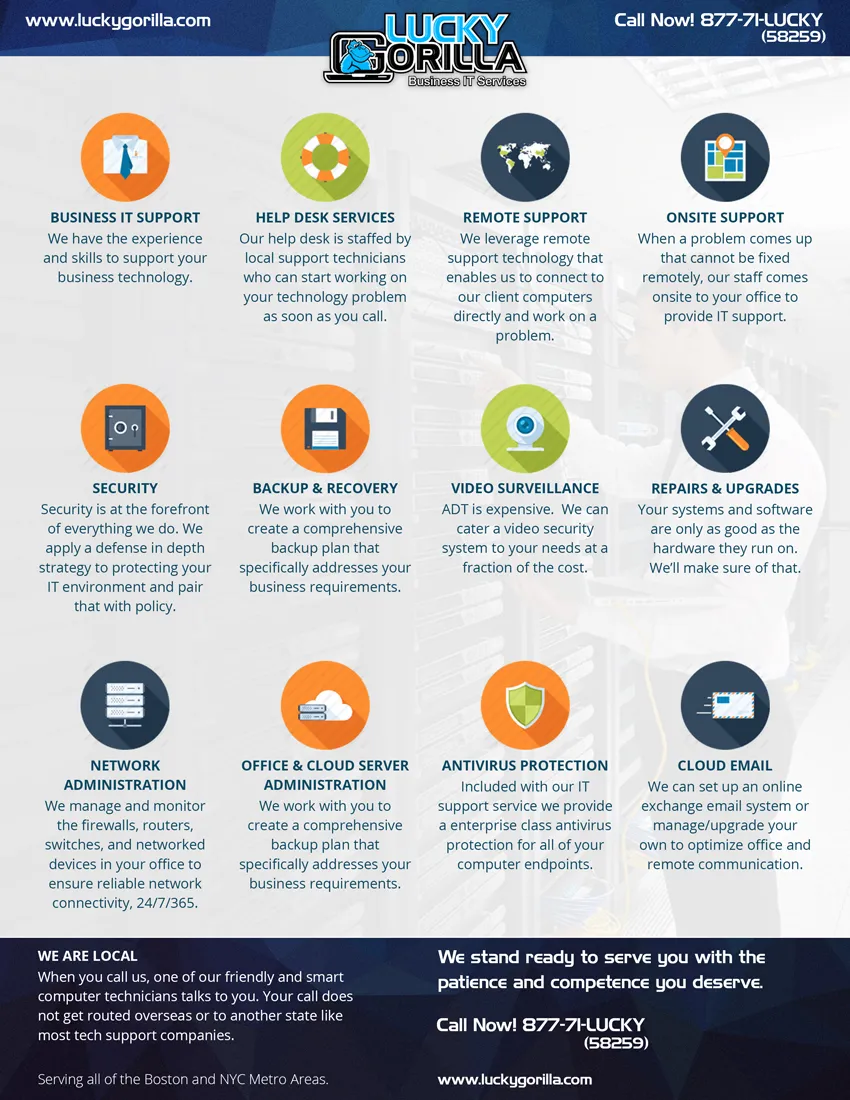
I went with new icons to stand out from the other designs. Once again this entry was eliminated without feedback.
At this point, I knew something was wrong – my entries were being eliminated without feedback so I took a step back and made a list of the weaknesses in my design:
- There is no introduction; I have no idea at a glance who Lucky Gorilla is or what it does. It feels cold and boring.
- The background image is barely visible and it makes the text less readable.
- I do not like the top bar – the logo is sticking out and the text feels unbalanced.
Seventh Try Is the Charm

This is the design which won me the contest. I looked at other brochures for inspiration before starting this one and I had my list of all the things I wanted to change. Making that list really helped me produce something I liked.
I am delighted with the way this brochure turned out and with the progress I made with the design. This was also my first contest win and I earned it by persevering knowing I had a good idea. So cheers to me!